

What “blocks” means
Lesson 1 of 4
Blockline reads one thing in Jira: the link named blocks. This lesson says what that link is, how to read it, and why it is all Blockline needs to tell you which epics are held up. You do not need to set anything up. Blockline works on install.
A link between two work items
Jira has no “blocked” status of its own. A work item is blocked when another work item blocks it through a link. Jira ships this link type with every site, under the name Blocks.
A blocks B means B waits on A. A is the blocker, B is the work that waits.
Say the story STOR-4, Payment step, cannot finish until PAYC-3, the Refund API, is done. PAYC-3 blocks STOR-4.
Read it from each side
Jira shows the same link on both work items, each in its own words:
- on the blocker, PAYC-3, under blocks: the work items it holds up;
- on the work item that waits, STOR-4, under is blocked by: the work items it waits on.
There is one link. You can add it from either work item.
Where a work item’s links show
Open any work item. The Linked work items section sits under the description and the sub-tasks. Each kind of link has its own heading, and each linked work item is a row with its status and assignee.
-
Open the blocker, PAYC-3. Under blocks are the two work items it holds up.
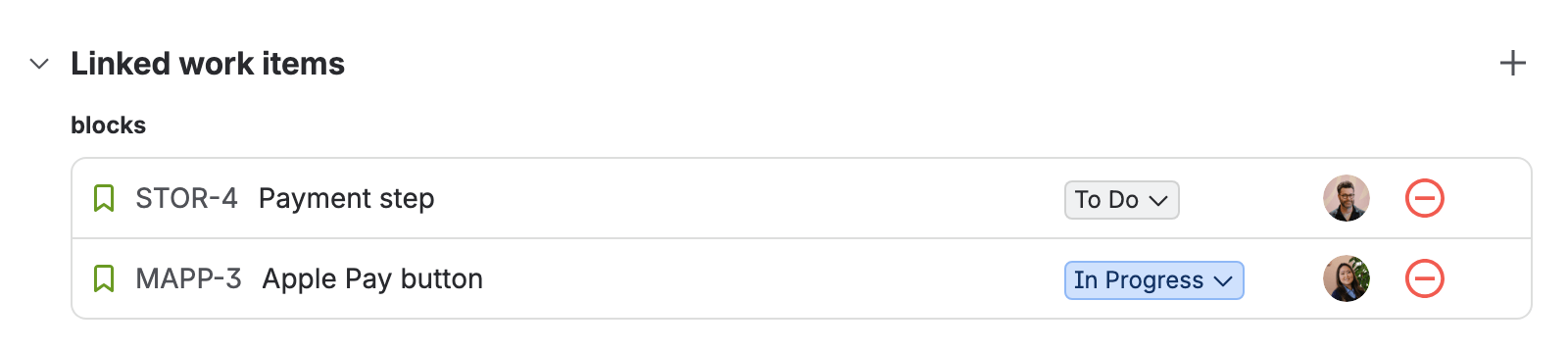
PAYC-3’s Linked work items, the “blocks” group: STOR-4 and MAPP-3 -
Open the work item that waits, STOR-4. Under is blocked by is the same link, seen from the other side.

STOR-4’s Linked work items, the “is blocked by” group: PAYC-3


If you don’t see it
A work item with no links has no Linked work items section, only an Add linked work item line. That is normal: the work item neither waits on anything nor holds anything up. Link a blocker adds the first link.
Link the work that waits
Link the story or sub-task that does the waiting. Its epic inherits the dependency: STOR-4 waits on PAYC-3, so its epic STOR-1, Holiday checkout, is held up through it. Blockline says so as “via STOR-4”.

You never link an epic to a blocker by hand to get this. The epic collects the links of the work under it.
Links inside one epic do not count
A link between two stories of the same epic is internal. It does not count against that epic. Only links to work outside the epic, in another epic or another space, hold it up.
Epics are the rows
The risk board has one row per open epic in its scope, the deliverables. Work outside an epic is still read as a blocker, but it is not a row. So group work under epics. On a site with a level above epic, such as initiatives on Jira Premium, a Jira admin can make those rows too, in Settings.
If your teams use another link type, such as “depends on”, a Jira admin can add it in Settings.
What you have now
You can read a “blocks” link from both sides, and you know which work item waits. Next you add the first link yourself.