

Read the deadlines
Lesson 2 of 3
Once a work item is qualified, the Dueline panel lists each report under its rule, with its deadline, how long is left and who it goes to. You will read one report from top to bottom and see what the article asks it to hold.
Before you start, qualify the work item.
Read the table
-
Open the work item and its Dueline panel. Its first line says who qualified it and when you became aware.
-
Find the rule’s group, such as GDPR. Under its name the group says To: the authority your country’s report goes to, How to file it and what to Have ready, with a link to the reporting page and the day it was checked. Your country is set in Settings; without it the panel links the official list.
-
Read each row: the Report, with its article; Due, the date and time; Status, how long is left; and Action. The status tells you where it stands:
- Due in 3 h 20 min, in the warning colour under 24 hours.
- Late by 2 h, in red. “Late” is Dueline’s own calculation from the times entered. GDPR and DORA ask a late report for the reasons for the delay, and the panel points to it.
- Waiting, with what it waits for under it: an earlier report, a fix, or the incident to be handled. Press Fix available or Incident handled when it happens, and the final report’s deadline appears.
- On request and No deadline for the reports that have none.
- Sent, once recorded.
- Not in force yet, when you became aware before the rule applied.
-
Select the arrow beside a report’s name to open it. It shows what the article asks the report to hold, and a link to the rule on EUR-Lex.
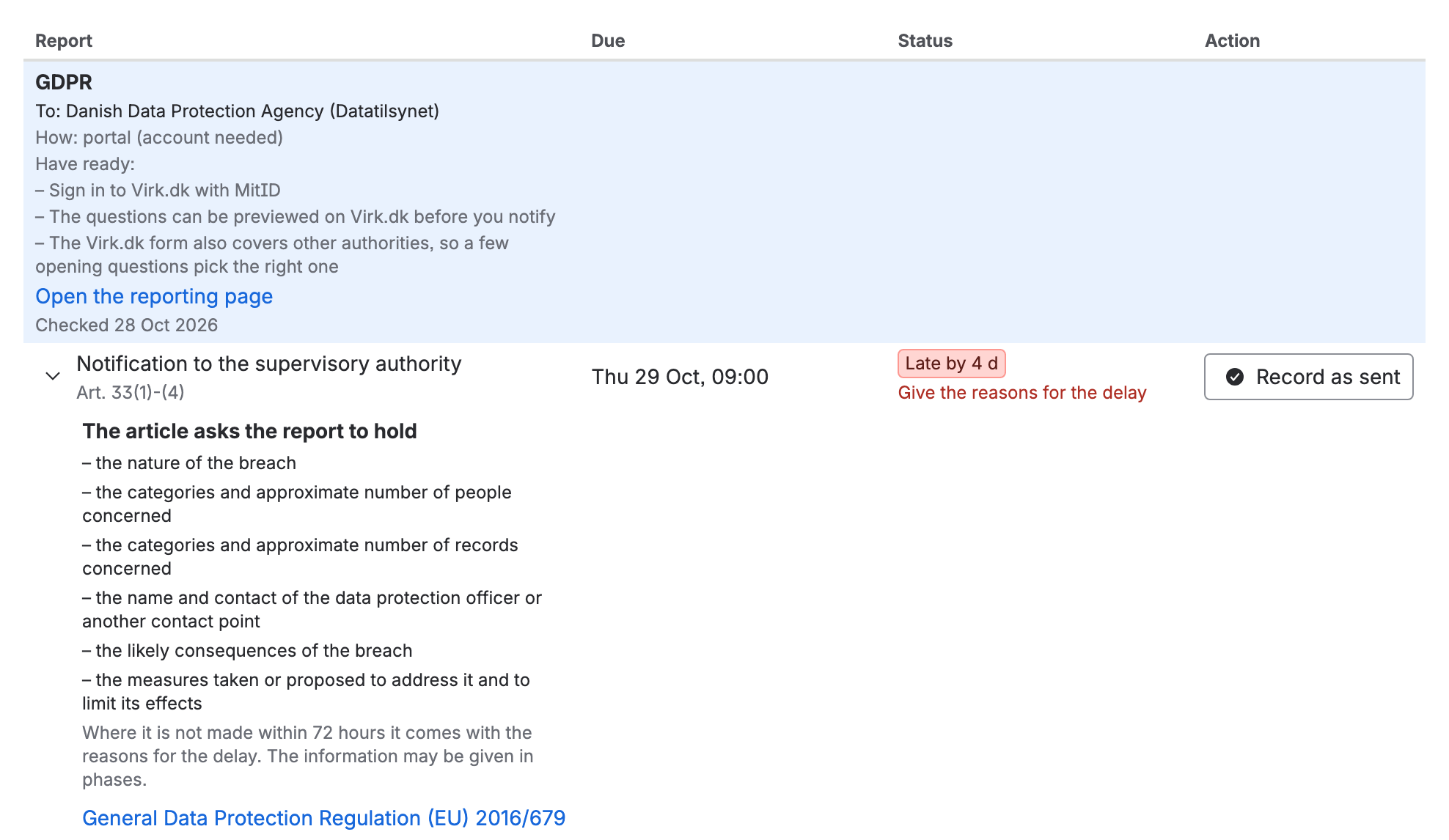
A report opened in the panel: what the article asks it to hold, its article and the rule on EUR-Lex

Who it goes to
Each rule says what kind of body its reports go to: the supervisory authority, the national CSIRT or competent authority, or ENISA’s single reporting platform. With your country set, the panel names the authority itself. For DORA it also needs your financial sector. Where an entry has not been checked yet, or there is none, the panel links the official list instead. All of them are on Where to file, by country.
National law may be stricter than the EU rule, as NIS2 allows. Check yours.
If you don’t see it
- No reports: the work item is not qualified yet. See Qualify a work item.
- A report you expected is missing: it belongs to a rule you left off when you qualified.
- Not the authority you expected: check the country in Settings. A deadline that falls on a weekend is explained in How deadlines are counted.
What you now have
You know what is due, when and to whom. How each deadline is worked out, and every report each rule asks for, is in How deadlines are counted. Next, file the report and record it.