

Put work under an epic
Lesson 4 of 5
Sumline adds up what sits under a work item: subtasks under a story, stories under an epic. Work with no parent is not counted anywhere, so each story needs an epic and each piece of a story a place under it.
Put a story under an epic
-
Open the story. Click its key anywhere in Jira, or go to
https://<your-site>.atlassian.net/browse/WEB-12, with your own site and key. -
Find Parent in the Details column. It shows the epic the story is in.
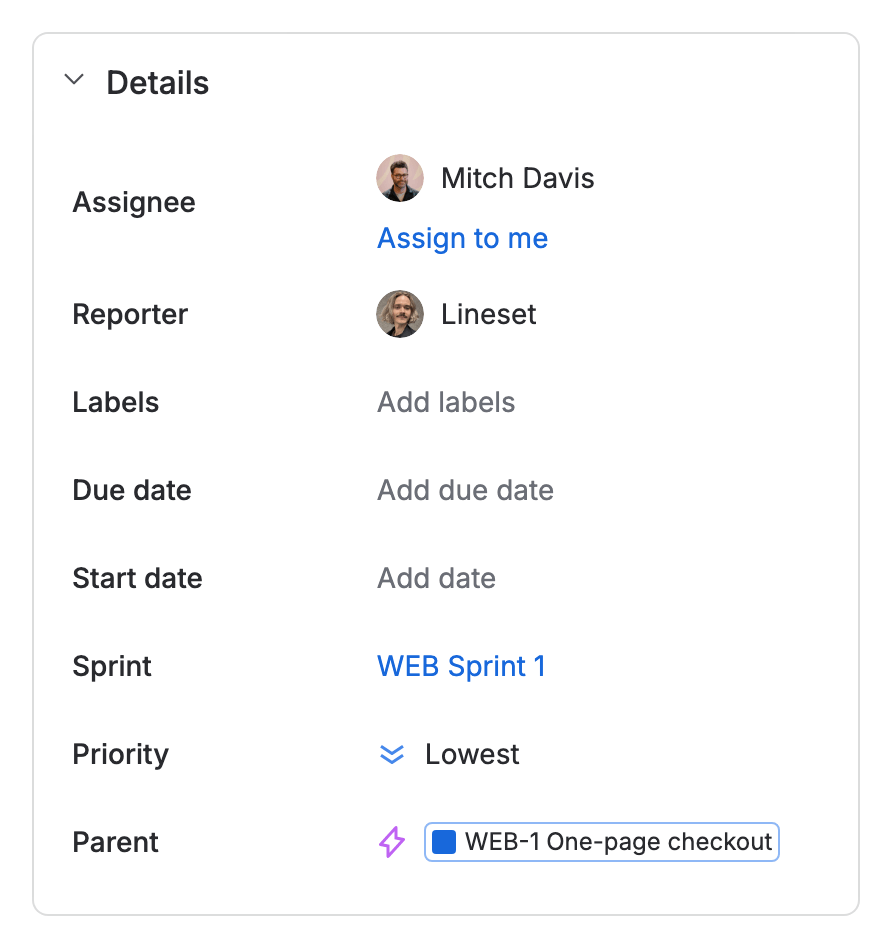
The Details column of WEB-12 with its Parent field: WEB-1 One-page checkout -
Click the Parent field. Jira lists epics.
-
Type the first letters of the epic’s name, then click the epic. Tick Show done work items to find an epic that is done.

The story now counts towards that epic.
Put a subtask under a story
-
Open the story.
-
Under Subtasks, click Add subtask. When the story has subtasks already, click the + at the right of the section.
-
Type the subtask’s summary and press Enter.
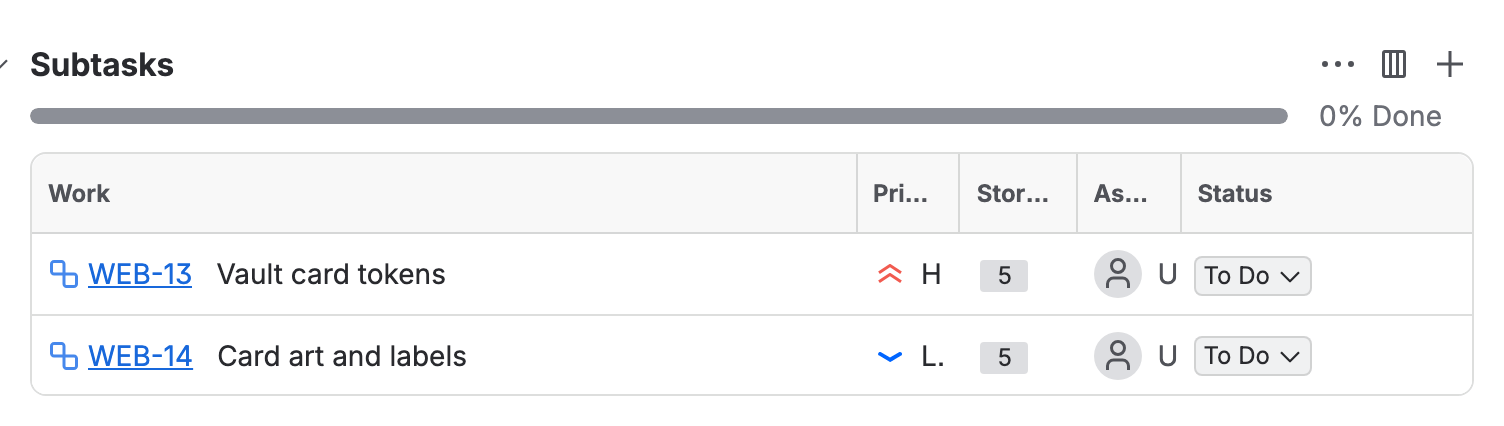
The Subtasks section of WEB-12: two subtasks, WEB-13 and WEB-14

A subtask has its own story points, estimates and logged time, and Sumline adds them to the story.
What Sumline shows
Open the epic and open the Sumline panel: the story points, estimates and time of every story and subtask under it, added up.

If you don’t see it
- No Parent field. It is not on the work item’s screen. A Jira admin adds it at
https://<your-site>.atlassian.net/jira/settings/issues/screens, or a team-managed space’s admin adds it under Space settings › Work types. - No Add subtask. Jira has three levels: epic, story and subtask. A subtask cannot have subtasks of its own, and an epic’s children are stories, not subtasks.
What you have now
Work that hangs together from subtask to epic. Next, find where Sumline shows it: Find Sumline in Jira.