

See cost and margin
Lesson 6 of 6
Cost and margin show what the hours cost you beside what you bill for them. You will set a cost per hour, choose who sees the figures and read them in a report.
Before you start, set hourly rates: the margin is the amount less the cost. Only Jira admins can set cost rates, and only the group you choose sees cost.
Set what an hour costs
- Open Jira settings › Apps › Logline settings, then find Cost rates.
- Set the Default cost per hour, such as 40.
- If cost differs, add Cost rates by person, Cost rates by space, Cost rates by client or Cost rates by person in a space, each with an optional From date, as hourly rates have.
- Select Save.
Cost rates follow the order of hourly rates and use their currency.
Choose who sees it
-
Under Cost rates, in Jira group that sees cost and margin, search for a group and pick it.
-
Select Save.
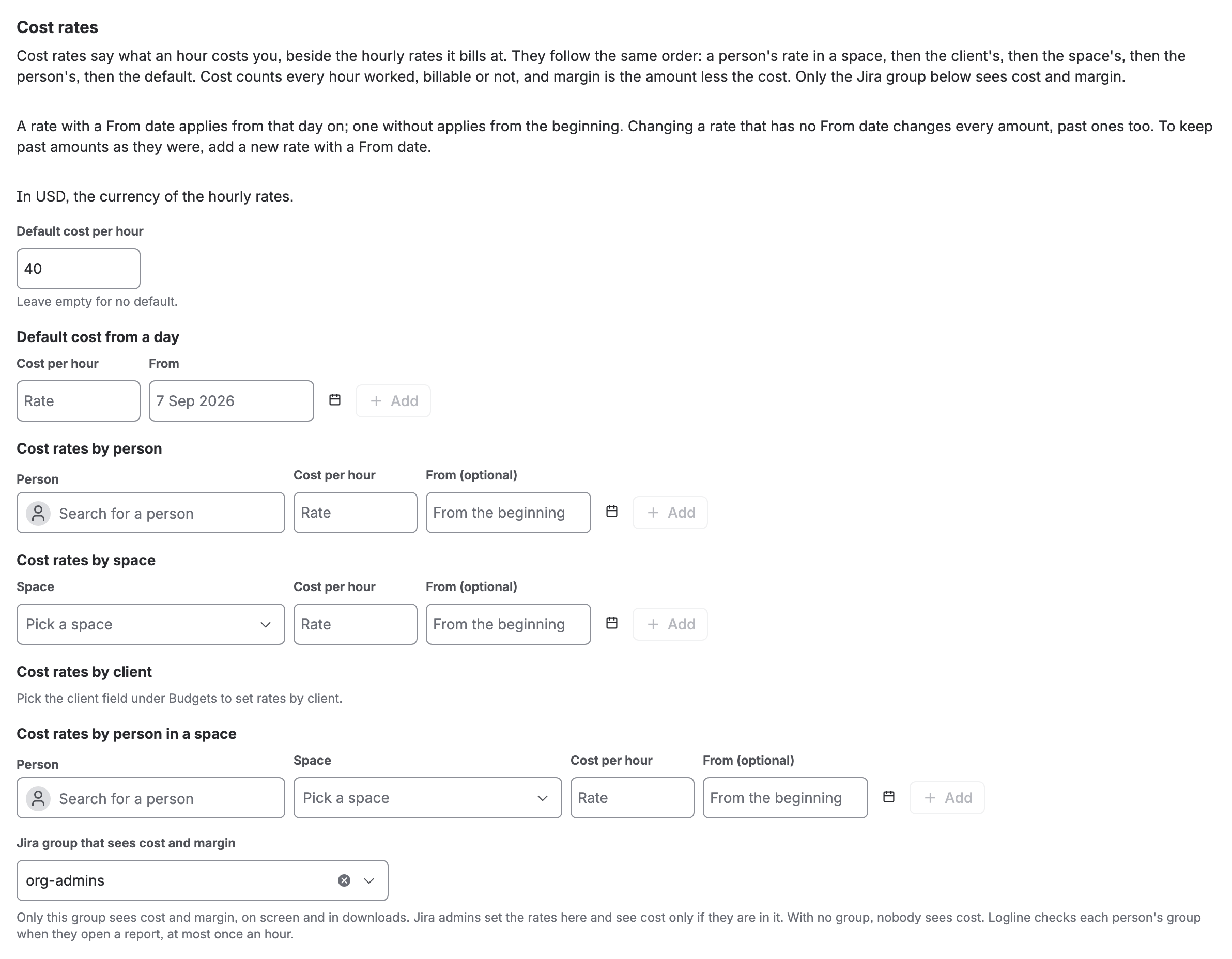
Cost rates in Logline settings: a default cost of 40 and the Jira group that sees cost and margin

Only this group sees cost and margin, on screen and in downloads. Jira admins set the rates here and see cost only if they are in it; with no group picked, nobody sees cost. Everyone else sees amounts, as before. Logline asks Jira who the person is before the figures leave Jira, so a page cannot ask for more, and keeps the answer for an hour. See Privacy, permissions and data.
Read it in a report
Open Apps › Logline, set Rows to Space, Epic or Client and select Show report. Cost and Margin follow Amount.

The Worklogs view adds them to each worklog. Cost counts every hour worked, billable or not, at its cost rate. The margin is the amount less the cost, so the Total line adds up: a row with cost and no amount shows the cost as a negative margin. A row where no hour has a cost rate shows a dash.
In downloads
Download, then Excel or CSV, carries cost and margin only for a person who sees them on screen: Cost and Margin after Amount, and in the Worklogs sheet Cost rate, Cost and Margin. Someone who does not see cost never gets those columns in a file. The timesheet PDF and the files for Xero and QuickBooks never hold cost.
If you don’t see it
- No Cost or Margin: you are not in the group that sees cost (a Jira admin is not let in by being one), or no group is chosen, or no cost rates are set, or the report has no billable rule and hourly rates.
- A dash for Cost and Margin: no hour in that row has a cost rate. The Total’s Billable hover names the hours with no cost rate.
- No Cost rates in Logline settings: you are not a Jira admin. Ask one.
What you now have
Cost and margin beside every amount, for the group you chose and nobody else. To go further with what a report shows, read Rows and columns.